Create, update and deactivate Collabase accounts and groups from your identity provider with SCIM 2.0: setup, supported operations and troubleshooting.
User provisioning connects your to Collabase, so accounts and group memberships follow your directory. Assign a person in your identity provider and Collabase creates the account. Change the profile there and Collabase updates it. Remove the person and Collabase deactivates the account.Collabase uses the System for Cross-domain Identity Management () in version 2.0. After you connect your identity provider, you manage names, email addresses, job titles, department and group memberships from your identity provider.Who can do this?
Role
System administrator in Collabase, and a role in your identity provider that may configure provisioning
Have an active Enterprise licence. SCIM stops when the licence has expired and resumes when it is renewed.
Have enough licensed seats. A person who does not fit is turned away.
Set up a sign-in method first, and decide which attribute of your identity provider is the email address. Use the same one for sign-in and for SCIM.
Start with a pilot group of people who have no Collabase account yet. SCIM never claims an existing account by email address, see the section on existing accounts.
Create test persons and groups in your identity provider and use them for the first sync.
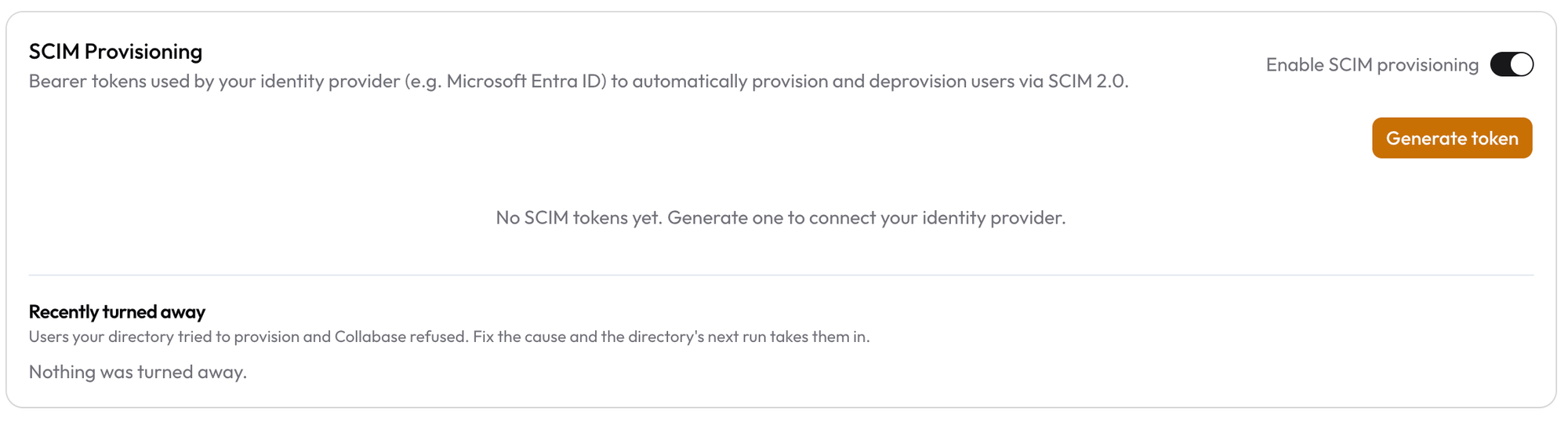
Open Admin → Identity Providers, scroll to SCIM Provisioning and switch on Enable SCIM provisioning. Requests are refused until this switch is on, even with a valid token.
2
Generate a token
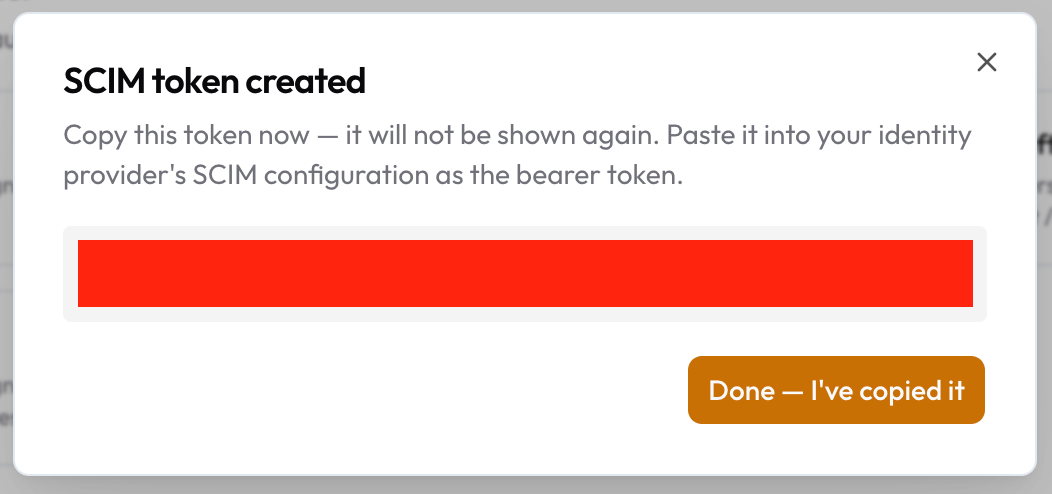
Click Generate token and copy it when SCIM token created appears. Collabase shows it only once.
The token dialog. Copy the token before you click the button, you cannot show it again.
3
Configure your identity provider
In the SCIM settings of your provider, enter:
Setting
Value
SCIM base URL
https://your-collabase-domain/api/scim/v2
Authentication method
Bearer token
Bearer token
The token you copied
4
Assign people and groups
Assign the Collabase application to the people or groups to provision. Your provider pushes them to Collabase.
5
Check the result
Open Admin → Users. The accounts you expect appear, and the Identity column shows where each one came from.
Collabase shows the token only once. A token is valid for 365 days. Generate a new one before it expires. The new token replaces the old one at once, so enter it in your identity provider before the next sync.
The primary address, or the first one, becomes the sign-in address.
userName
Used as the address when no email is sent.
displayName, name.givenName, name.familyName
The name of the member.
externalId
Links the account to the person in your directory. Do not change what you send here after the first sync.
active
Inactive deactivates the account, active reactivates it.
title and the enterprise attribute department
Job title and department on the profile.
A directory never sets the role of an account. Every account that SCIM creates starts as User. A group that your directory maintains can only appoint administrators if you give it the role Admin for Collabase Core yourself and confirm it, see Administrators through a group.Start with userName, emails, the name, externalId and active. These are the attributes that every person has. Add job title, department and other attributes later, one at a time, and only when every assigned person has a value for them. Some directories, Microsoft Entra ID among them, send an attribute without a value as empty. Collabase can turn such a creation away with HTTP 400. Addresses and phone numbers are not read, so leave them out.
No matching by email. If your identity provider sends a person whose email address already belongs to a Collabase account that SCIM did not create, Collabase rejects the person with a conflict (HTTP 409). Change the email address of one of the two accounts, then let your provider try again.
Matching by the directory’s own ID. A person whose external ID is already stored on a Collabase account is linked to that account. Name and email address then follow your provider.
Administrators. The sign-in address of an administrator is not the directory’s to change. Your existing administrator accounts stay as they are. If you assign them, they show up as rejected, which is harmless.
Deactivation by an administrator stays. If an administrator deactivated an account in Admin → Users, a later message from your provider that the person is active does not reactivate it.
No free seat. When the licensed user limit is reached, new people and reactivations are rejected with HTTP 403.
Below the token list, the SCIM Provisioning card shows Recently turned away: the last ten people your provider tried to create and Collabase refused, with the reason and the time. Fix the cause, and the next provisioning run takes the person in.
The SCIM Provisioning card with the switch, the token list and Recently turned away.
When you do one of these in your identity provider, Collabase follows.
Operation
Notes
Create an account
Collabase creates the account with the email address from your provider and the role User. A licensed seat must be free.
Link an existing account
Only through the external ID of an account that already carries it. Never through the email address.
Update account details
Name, email address, job title and department follow your provider. The sign-in address of an administrator stays.
Deactivate an account
Collabase locks the account, ends its sessions and switches off its API tokens. Pages, work items and comments stay. After 30 days by default the account is anonymized, see below.
Activate an account
Collabase reactivates the account when a licensed seat is free and no administrator deactivated it.
Delete an account
Collabase never deletes an account through SCIM. To delete a member for good, use Admin → Users, see Members and groups.
The diagram shows the life of an account that SCIM manages.
A deactivated account is anonymized once its deadline passes: the name and email address are removed, and pages, work items and comments stay and show the name followed by (deleted). The default is 30 days. You change it under Anonymize locked accounts after in the security policies. A changed period applies to accounts deactivated from then on. Reactivating the account before the date cancels the anonymization.
The connection test fails with “SCIM provisioning is disabled for this instance”.
Switch on Enable SCIM provisioning.
No
Requests fail with “The Enterprise licence has expired”.
Renew the licence. Provisioning resumes on its own.
No
Requests fail with “Not found”.
The instance has no Enterprise licence. Activate one.
No
Requests are refused as unauthorized.
The token is wrong, revoked or older than 365 days. Generate a new token and enter it in your provider.
No
A person is not provisioned and shows as turned away because the email address belongs to another account.
Change the email address of one of the two accounts.
Yes, as SCIM_USER_REJECTED in the audit log and under Recently turned away
A person is not provisioned and shows as turned away because no seat was free.
Free a seat. The next run takes the person in.
Yes, as SCIM_USER_REJECTED in the audit log and under Recently turned away
Creating a person fails with HTTP 400 and “Validation error”, while groups work.
Remove the attributes that are empty for that person from the mapping in your provider, for example addresses, phone numbers or the manager. Add them back one at a time.
No
A person is active in your provider but stays deactivated in Collabase.
An administrator deactivated the account. Release it in Admin → Users.
No
A person cannot sign in after provisioning.
Check the sign-in method and that the email address at sign-in equals the one SCIM sent, see SAML single sign-on.
No
A synced group cannot be edited in Collabase.
By design. Change it in your identity provider.
No
An account was anonymized after a deactivation.
The period under Anonymize locked accounts after passed. The account cannot be restored.
No
IAM with Microsoft Entra ID
The full setup for Microsoft Entra ID, with sign-in and SCIM.
SAML single sign-on
Let members sign in through your identity provider.