In short.
Automation flows are the rules of Collabase's automation engine. An event in Collabase, a schedule, a webhook or an external service starts them, conditions branch, and actions reach more than forty connections. Every run is logged with its input and output.
Five kinds of trigger
A Collabase event, a schedule, a webhook, a manual run or an external service
More than forty connectors
From Slack and GitHub through to Bexio, Abacus and any API over HTTP
Every run in the log
Input, output and status per node, including for a run that stopped
The limits are stated
Sixty runs per minute and rule, five minutes runtime, a hundred active rules per space
When the same five steps hang off every single case.
A ticket comes in, somebody creates the work item, sets the priority, posts it in a chat and adds a row to a spreadsheet. Only then does the actual work start. A flow takes those five steps, and what the person contributes stays the decision.
The same steps are carried out by hand twenty times a day.
A critical alert reaches the person responsible the next morning.
Two systems hold the same data and somebody reconciles them.
What you gain.
Triggers from Collabase and from outside
A new work item, a status change, a new page, a finished test run, a changed registry record. Plus a schedule in cron notation with your timezone, a webhook with its own secret, a manual run, and events from connected services.
Conditions that steer the run
A filter stops the branch when the condition does not hold, silently and without an error. If-else carries both paths on, a router as many as you need. Rules combine with AND or OR and read any field from the trigger or from an earlier node.
Actions with saved connections
Collabase actions create work items, change pages and notify people in house, with no credentials at all. For everything else there is the connection: created once, stored encrypted, reusable in every rule and shared privately, within the space or across the whole installation as you choose.
Wait, approve, catch
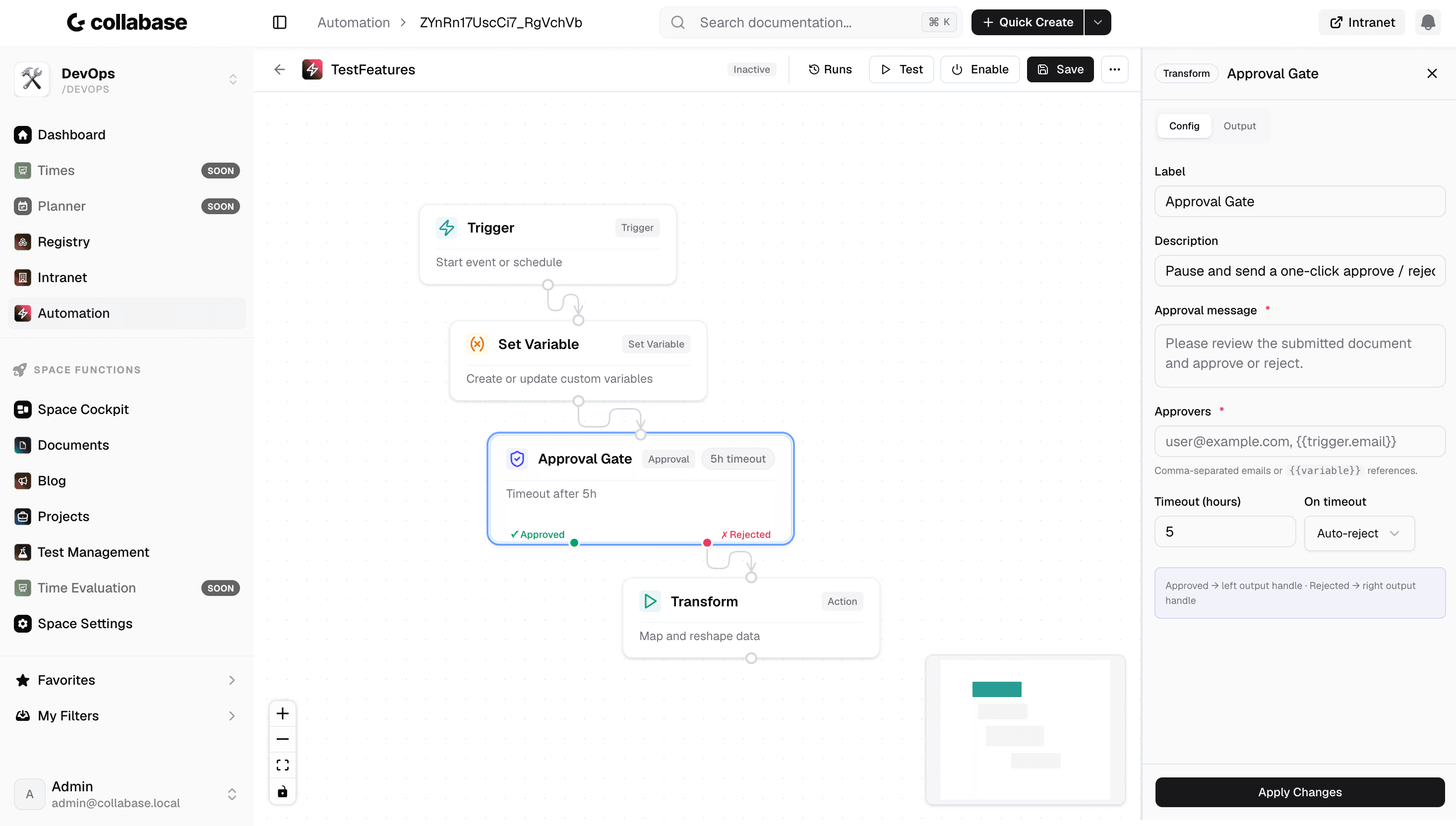
A flow pauses until a period has passed or a person has decided, then takes the path for approved, rejected or timed out. An error handler catches a failed node instead of ending the whole run, and recurring parts live as a flow of their own that others call.
Who this pays off for.
Service desk
A critical ticket reaches the on-call person the moment it arrives.
Engineering
A branch, a pull request and the status change hang together without a manual step.
Finance and HR
Connectors to Bexio, Abacus and Personio keep master data aligned without double entry.
Operations
An alert from monitoring becomes a work item with an owner and a deadline.
Automation flows belong to the automation engine.
A flow listens to events from Projects, Docs, Test Management and Registry and writes back into the same apps. Approvals from a workflow run through it, and the AI nodes use the model your installation runs. All apps share login, permissions and data. One contract, one deployment, one point of contact.

Docs

Projects

Intranet

Registry

Test Management

Automation

Time
Operations and data sovereignty.
Where the data sits is decided by the operating model, not by the small print.
Swiss hosted
Operated on Swiss public cloud at Infomaniak, one isolated environment per customer. Content is processed in Switzerland only, apart from the upstream web application firewall.
Self-hosted
Runs on your own infrastructure. Full control over the data, no access from outside.
revFADP & GDPR
Data processing agreement included. Compliant with the revised Swiss data protection act and the GDPR.
One product, all apps.
Collabase Enterprise
On request
Staged by user count
Automation Flows is part of the Enterprise plan. All seven apps, no add-ons.
Questions from first conversations.
Automation Flows in practice: what comes up most often in a first conversation.
What can trigger a flow?
Five kinds of trigger: an event in Collabase, a schedule, a webhook, a manual start, or an external service. That covers reacting to your own work as well as to signals from outside.
Can we see why a run failed?
Yes. Every run is logged, node by node, with input, output and status, including when it aborts. The failing step can be located without reproducing the run.
Are there limits on execution?
Yes, and they are fixed: sixty runs per minute per rule, five minutes of runtime per run, and one hundred active rules per space. Those limits protect the instance from a rule that triggers itself.
What if a system is not on the list?
Then you connect it over HTTP. Alongside the more than forty connections, from Slack and GitHub to Bexio and Abacus, any interface can be addressed directly.
Take the step that holds you up daily.
In the proof of concept we build a flow for one of your processes, with your systems and your data.