In short.
Dashboards in Collabase are pages made of gadgets that calculate straight from your work items, pages, tests and time bookings. They exist in three places: Home as your personal start page, free dashboards for sharing and a start page per project. Each gadget calculates with the permissions of the person looking at it. Over 60 templates are ready to use.
Over 60 templates
Key figure, list, chart, time series, gauge and more, ordered by area
The viewer's permissions
Two people see their own numbers on the same dashboard
Three places
Home as your own start page, free dashboards and a start page per project
Refreshes automatically
Off, or recalculated every 5, 15, 30 or 60 minutes
When the report is out of date by the time it's sent.
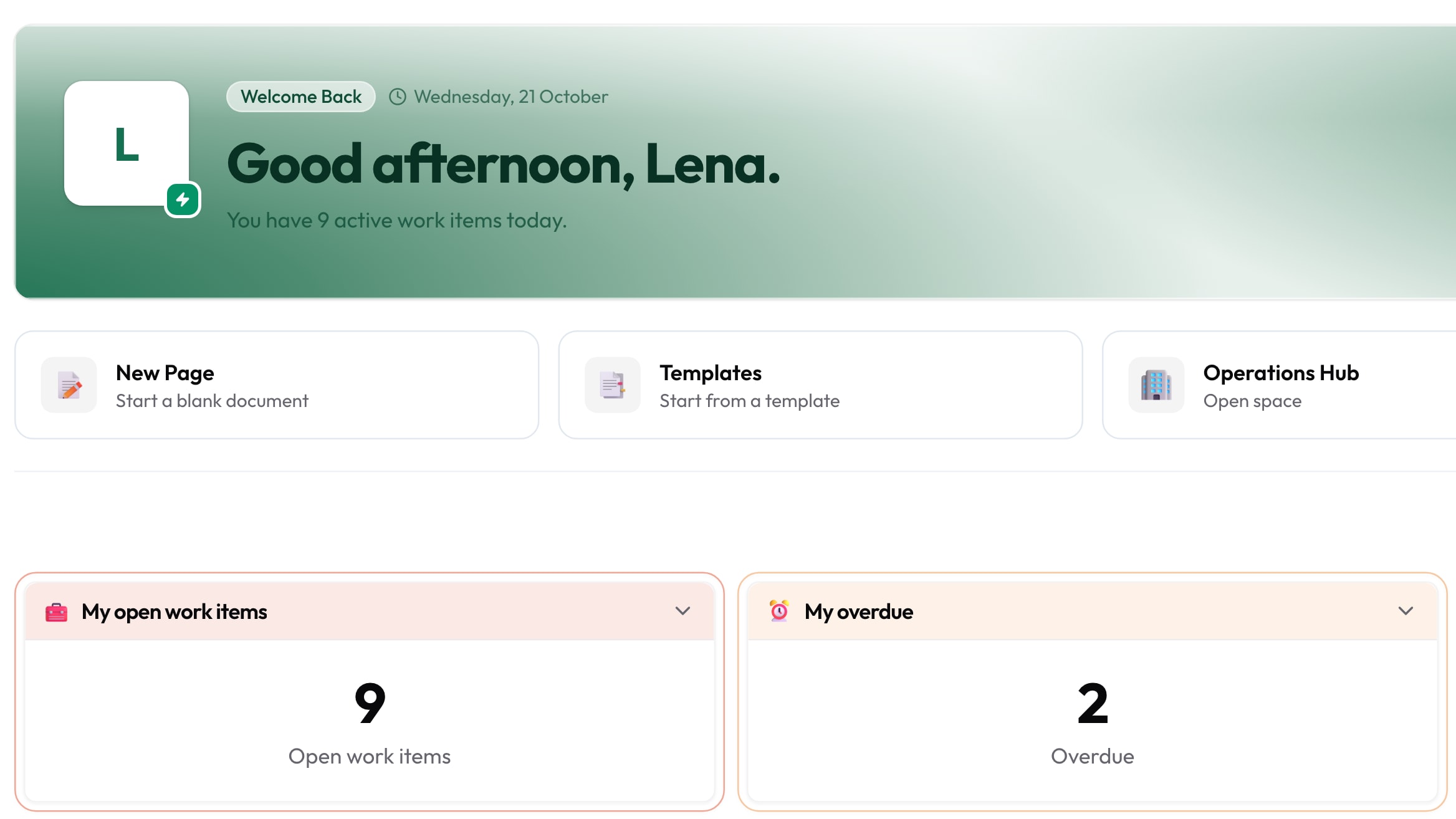
Every week someone pulls the same numbers together from three lists. By the time the table is ready, a lot has already changed, and the meeting has two values for the same figure. A dashboard calculates straight from the work. An example from the demo: on Tuesday morning Lena opens Home and sees her open and overdue tasks, with the sprint burndown below.
- 01
The weekly report is put together by hand.
- 02
The same figure has two values in two tools.
- 03
Anyone who wants an overview has to ask the person who built it.
What you gain.
01
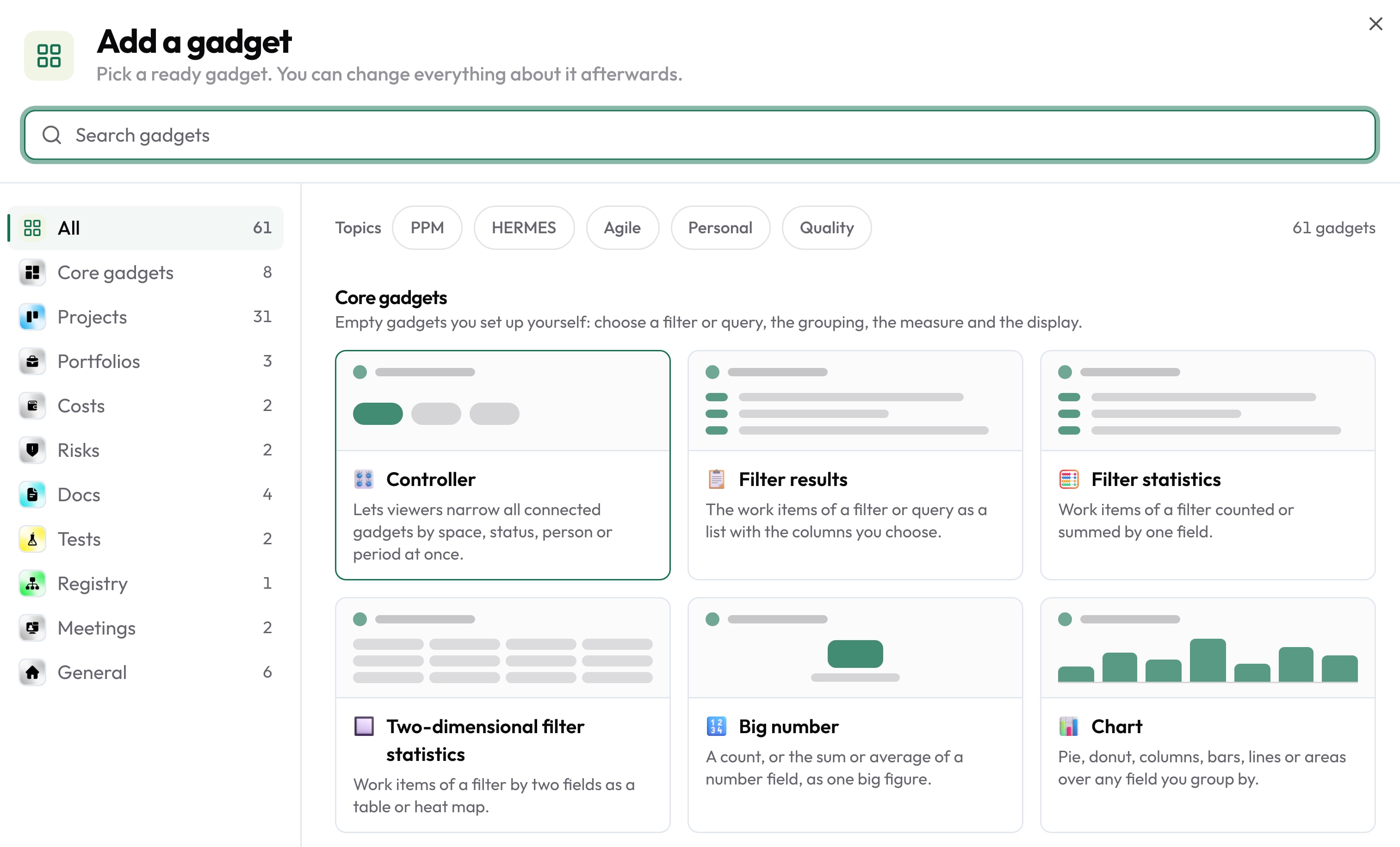
Gadgets from over 60 templates
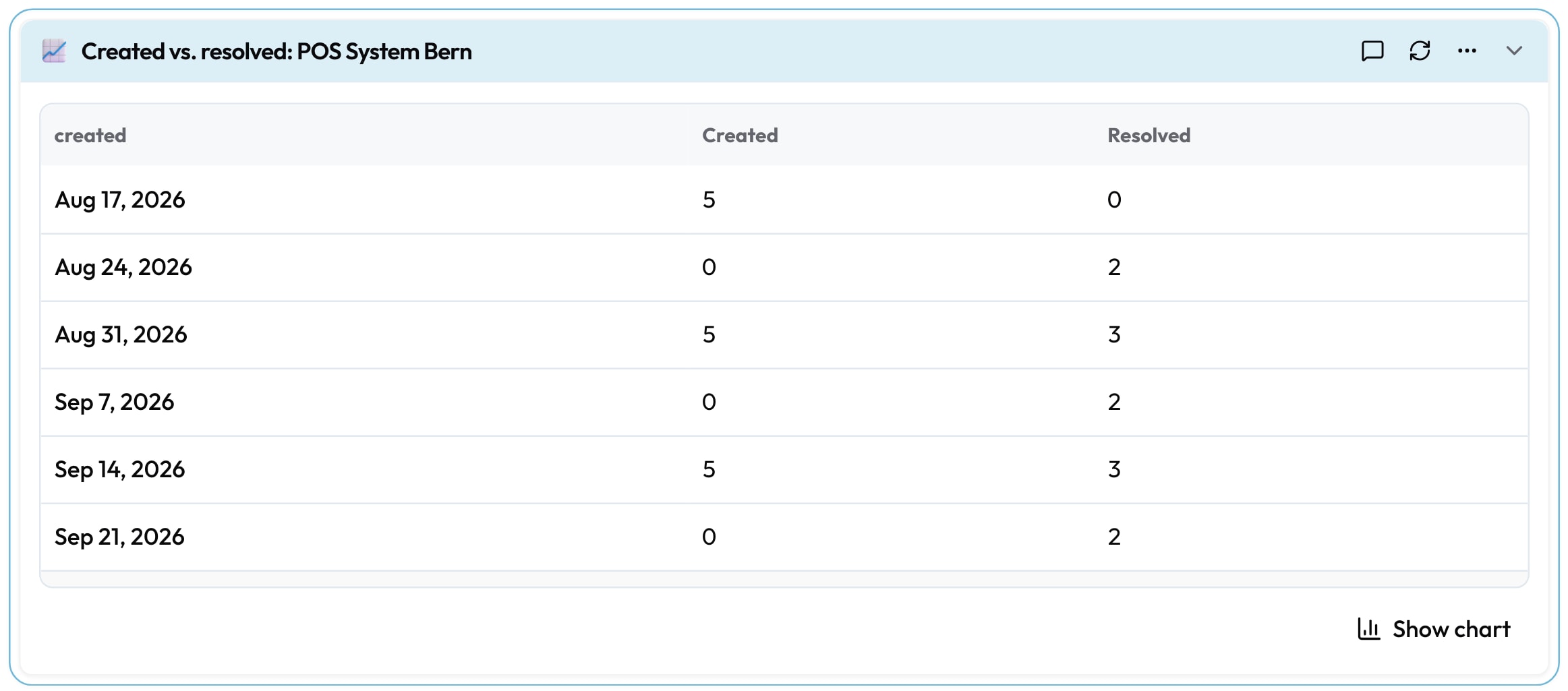
“Add gadget” opens a catalogue ordered by area: work items, flow, sprints, docs, tests, meetings and your own building blocks. It holds counters such as “Assigned to me”, charts such as “Created vs. resolved”, the sprint burndown or a heat map. A dashboard holds up to 30 gadgets.
Ordered by area · Up to 30 gadgets per dashboard
02
Every gadget calculates from your source
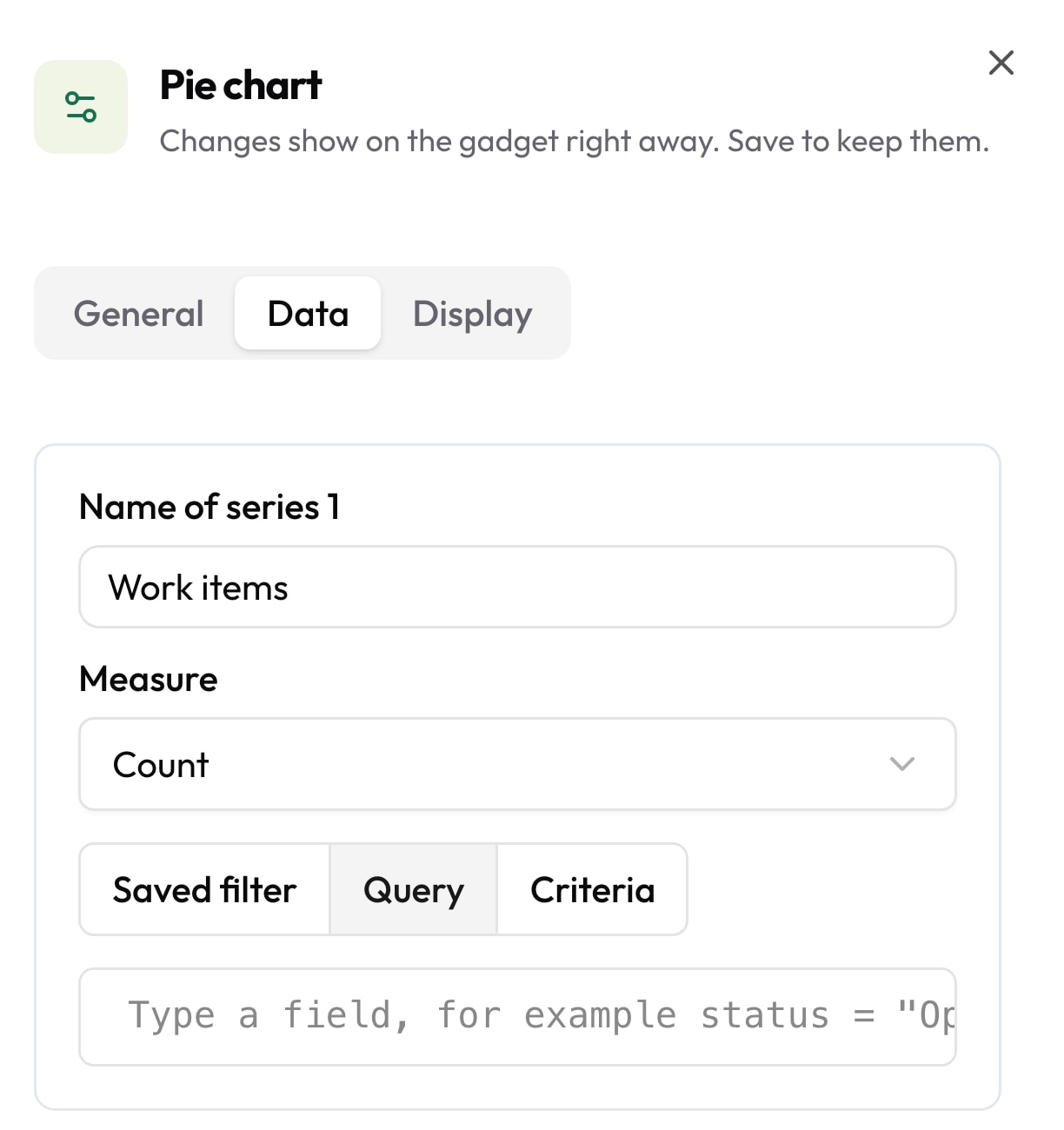
The source is a saved filter, a query or criteria you click together in the panel. From it the gadget counts, sums a number field or takes the average. You set title and colours in the same panel. Each gadget calculates with the permissions of the person looking at it, so everyone sees their own numbers.
Filter, query or criteria · Count, sum, average
03
Arrange by dragging
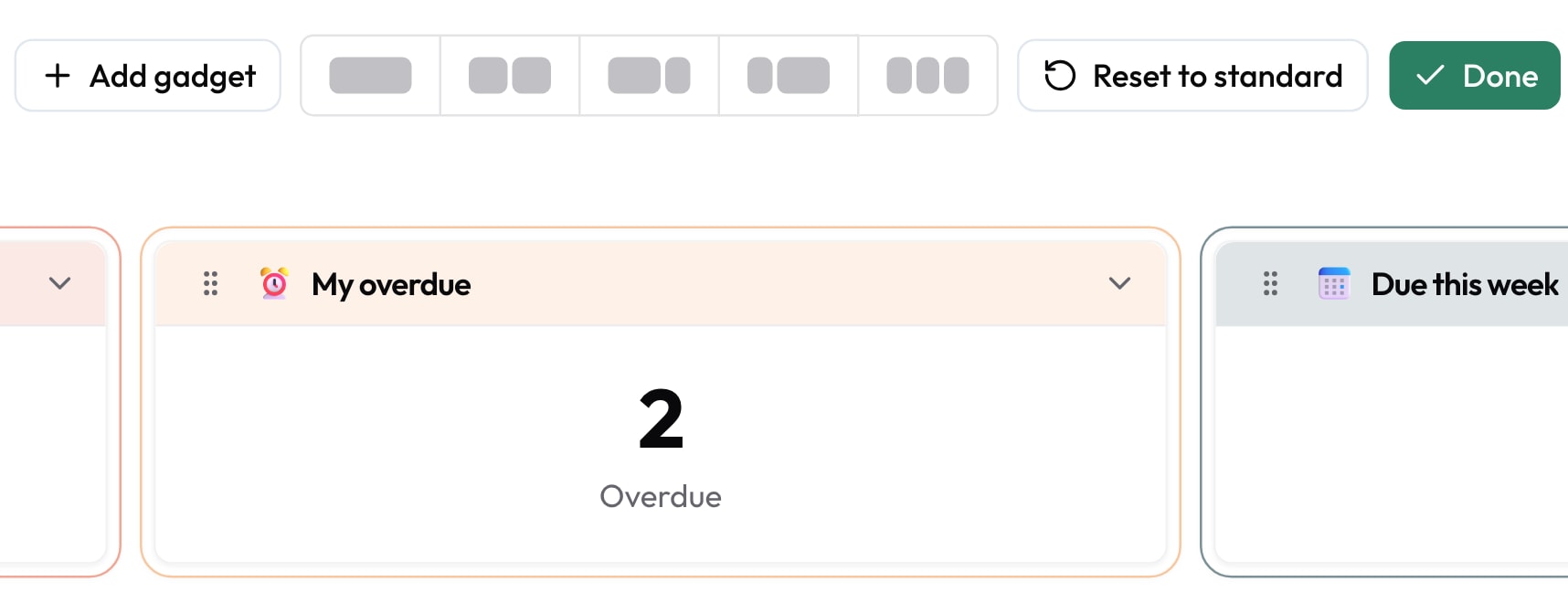
In “Customise” mode you drag a gadget by its handle into place, or use the space bar and arrow keys. Every move is saved immediately. Width follows one of five column layouts or “Full width”; gadgets can't be resized freely. On Home your first change creates your private copy, and “Reset to standard” brings the template back.
Five column layouts · Reset to standard
04
Chart or table, always current
Every chart also shows its numbers as a table with “Show data as table”. “Automatic refresh” recalculates the dashboard every 5, 15, 30 or 60 minutes, or stays off. The numbers are at most five minutes old. If you don't want to wait, click “Refresh now”.
Show data as table · Refresh every 5 to 60 minutes
Who this pays off for.
Team leads
Home shows the open and overdue tasks in the morning, with the sprint burndown below.
Service desk
A shared view-only dashboard shows the whole team the same picture, recalculated every 15 minutes.
Project management
The project start page carries burndown, velocity and budget as gadgets.
Department leads
A dashboard embedded in a page carries the numbers for the monthly report. Questions sit as comments on the gadget.
Dashboards calculate from every app.

Gadgets count work items from Projects, pages from Documents, registry entries, test runs from Test Management, hours booked in Time and meetings. You share free dashboards with a person, group, space, project or all signed-in people, with “Can view” or “Can edit”. Guests get view access only. A dashboard or a single gadget can be embedded in a page, and you comment on any gadget with an @-mention. All apps share login, permissions and data. One contract, one deployment, one point of contact.





Operations and data sovereignty.
Where the data sits is decided by the operating model, not by the small print.
Swiss hosted
Operated on Swiss public cloud at Infomaniak, one isolated environment per customer. Content is processed in Switzerland only, apart from the upstream web application firewall.
Self-hosted
Runs on your own infrastructure. Full control over the data, no access from outside.
revFADP & GDPR
Data processing agreement included. Compliant with the revised Swiss data protection act and the GDPR.
Questions from first conversations.
Dashboards in practice: what comes up most often in a first conversation.
Which gadgets are there?
Over 60 templates from about a dozen types, including list, key figure, chart, time series, gauge, calendar and text. On top come flow metrics such as cycle time and cumulative flow, and gadgets for sprints, docs, tests and meetings. A counter gadget holds up to six counters, a chart up to six series.
Can I share a dashboard?
Free dashboards, yes: with a person, a group, a space, a project or all signed-in people, up to 100 shares, with “Can view” or “Can edit”. Guests get view access only. A public link without sign-in is enabled by an administrator and is off by default. Home is your personal start page and stays private.
How current are the numbers?
The numbers are at most five minutes old. Per dashboard you set “Automatic refresh” to off or every 5, 15, 30 or 60 minutes. “Refresh now” recalculates all visible gadgets straight away.
Can a dashboard be exported?
There is no PDF or CSV export. Every chart shows its numbers as a table through “Show data as table”. For a report you embed the dashboard or individual gadgets in a page.
Build your first dashboard from your own numbers.
In the proof of concept we set up Home and a shared dashboard for one team, using your own work items.
Pricing: from 16 CHF per user and month