In short.
The Kanban board is the board view of Collabase Projects. Each status in the workflow becomes a column, joined by swimlanes for type, person or label, freely composed card fields and colour rules for whatever should stand out first.
One column per status
The order on the board follows the status order in the project workflow
Swimlanes
A second grouping by type, person, priority, label or a custom field
Cards to measure
Due date, labels, story points and custom fields, as the team needs them
Colour rules
The first matching rule colours the card before anyone has read it
When the state only comes together in the meeting.
Everyone knows what they are working on themselves. What is blocked, what waits for approval and what is finished gets collected by someone on Monday. On a board that stands there by itself: one column per status, and the card moves while the work happens.
Blocked work only surfaces when somebody asks about it.
Urgent work looks like everything else on the board.
Two teams share one project and cannot see their rows apart.
What you gain.
Dragging instead of a form
Dragging a card into another column sets the status. Clicking the card opens the full work item; clicking a column header collapses that column and gives the space to the others. If your project runs a governed workflow, the board only allows the transitions you defined.
Swimlanes for the second question
A column answers how far something is. The swimlane answers who or what it belongs to: type, owner, priority, label or a custom select field. Anything that matches no group is collected in the row at the bottom of the board.
What the card shows
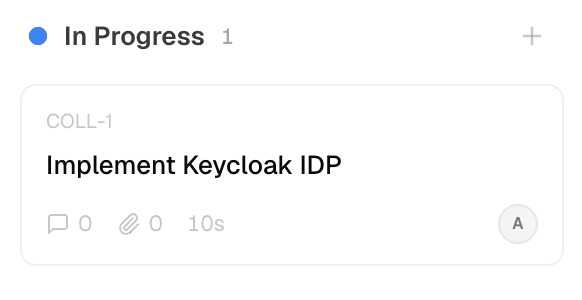
Title, priority and the owner's picture come as standard. On top of that goes whatever your team actually needs: due date in red once it is overdue, labels, story points, the type icon, custom fields. The setting applies to the whole project so everyone reads the same board.
Quick filters for the moment
My work items, unassigned, by priority, by label. The filters apply instantly and leave the board configuration untouched, so nobody rearranges the shared view for a quick look.
Who this pays off for.
The daily round
The board leads through the round instead of everyone reciting their state.
Service desk
Swimlanes by owner show immediately where work is piling up.
Department leads
One colour rule on priority makes critical cases visible without asking.
Release preparation
A filter on the label shows only the work that belongs to the next date.
The kanban board belongs to Projects.
The columns come from the project workflow, the cards are work items. Time against them runs through Time, defects from Test Management land on the same board, and the automation engine reacts to every move into another column. All apps share login, permissions and data. One contract, one deployment, one point of contact.

Docs

Projects

Intranet

Registry

Test Management

Automation

Time
Operations and data sovereignty.
Where the data sits is decided by the operating model, not by the small print.
Swiss hosted
Operated on Swiss public cloud at Infomaniak, one isolated environment per customer. Content is processed in Switzerland only, apart from the upstream web application firewall.
Self-hosted
Runs on your own infrastructure. Full control over the data, no access from outside.
revFADP & GDPR
Data processing agreement included. Compliant with the revised Swiss data protection act and the GDPR.
One product, all apps.
Collabase Enterprise
On request
Staged by user count
Kanban Board is part of the Enterprise plan. All seven apps, no add-ons.
Questions from first conversations.
Kanban Board in practice: what comes up most often in a first conversation.
Where do the columns on the board come from?
From the statuses of the workflow: one column per status. The order on the board follows the order in the project's workflow, so there is no second place to maintain it.
Can we group the board further?
Yes, through swimlanes. As a second grouping you can use type, person, priority, label or a custom field.
What appears on a card?
Whatever the team needs: due date, labels, story points and custom fields can be placed freely. A service desk shows something different from an engineering team.
How does urgent work stand out?
Through colour rules. The first matching rule colours the card, so what is urgent is visible before anyone has read the title.
Set your board to the way you work.
In the proof of concept we set up columns, swimlanes and card fields for an initiative that is already running.